Log in, then capture
Requires a Pro license
Sign into ZRM, search for a lead, and capture their detail page, saved to lucia-marchetti.png. This example assumes you are using Anthropic as an LLM provider and have the key stored in the environment variable ANTHROPIC_API_KEY, but any supported provider works.
zshot -f lucia-marchetti.png \
  --navigate "Login, search for Lucia Marchetti and go to their detail page" \
  --navigator-credential username=success@zshot-app.com \
  --navigator-credential password=password \
  --navigator-type "anthropic://$ANTHROPIC_API_KEY@" \
  "https://zshot-cli.com/example_assets/zrm/"
{
"url": "https://zshot-cli.com/example_assets/zrm/",
"output_type": "png",
"navigate": "Login, search for Lucia Marchetti and go to their detail page",
"navigator_type": "anthropic://THE_ANTHROPIC_API_KEY@",
"navigator_credential": {
"username": "success@zshot-app.com",
"password": "password"
}
}curl -X POST http://127.0.0.1:3000/ \
-H "Content-Type: application/json" \
-d '{"url":"https://zshot-cli.com/example_assets/zrm/","output_type":"png","navigate":"Login, search for Lucia Marchetti and go to their detail page","navigator_type":"anthropic://'$ANTHROPIC_API_KEY'@","navigator_credential":{"username": "success@zshot-app.com","password": "password"}}' \
-o lucia-marchetti.png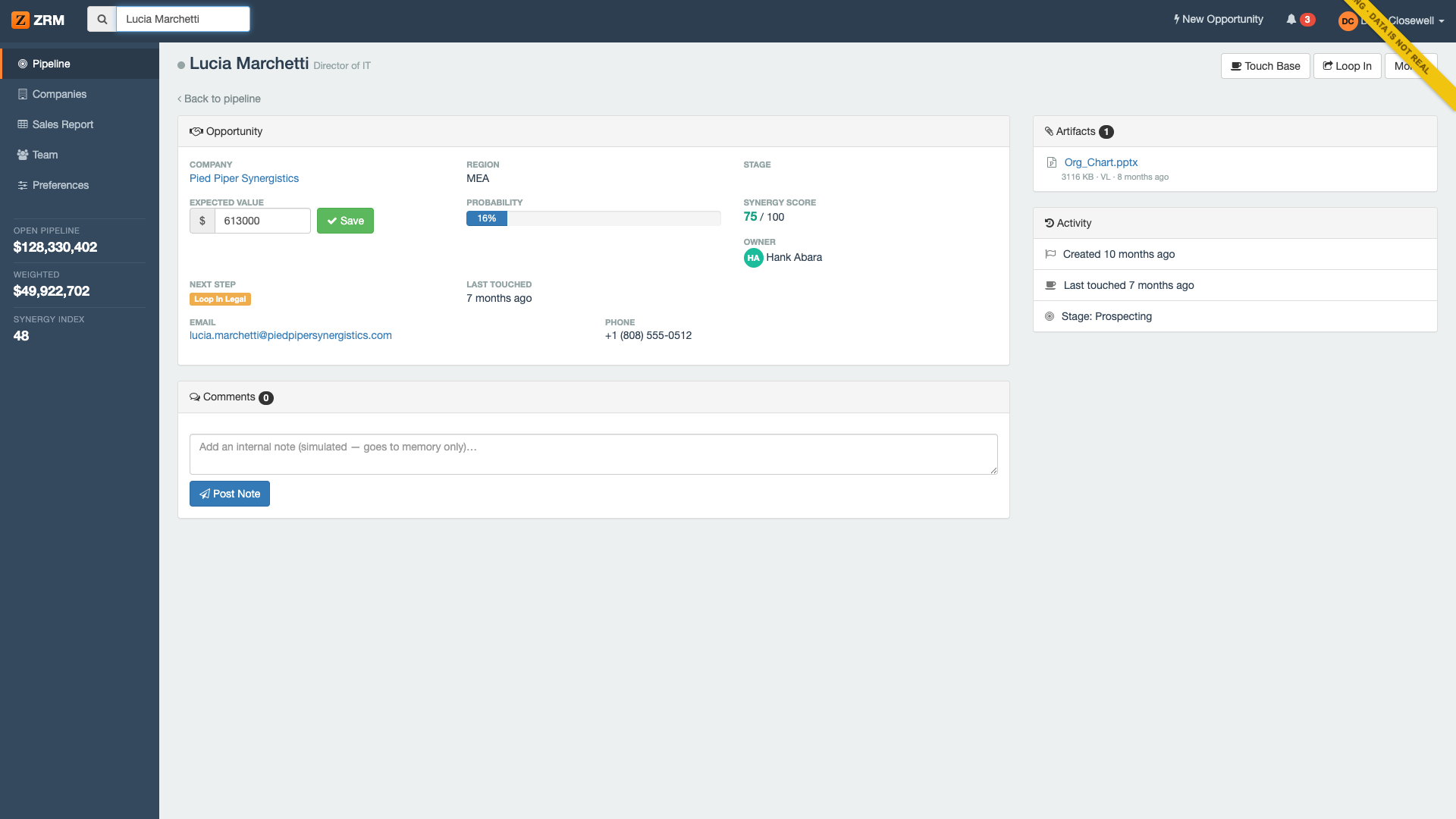
The navigator runs on an LLM — See --navigate, --navigator-type, and --navigator-credential.